Sunday, November 23, 2008

6 free apple iphone downloads you don't want to miss

Most things in life don't come for free. But the following half-dozen Apple iPhone applications are exceptions to the rule. Each of these free downloads will greatly enhance both your iPhone and mobile Internet experiences...and the price sure is right.


I've largely focused on the BlackBerry crowd in my past free downloads stories, but today I'm offering up six of my picks for the best free software available through Apple's iTunes App Store.

This week, my recommendations include both a mobile news and sports aggregator, an on-device TV guide, a satellite mapping program, a voice over IP (VoIP) calling app and an Internet radio service. My personal favorite: the sports app, SportsTap, found on page two.

Apple updates iPod nano, classic software

Apple on Wednesday released updates for its iPod nano (4th generation) and iPod classic (120GB), bringing the most current versions to 1.0.3 and 2.0.1, respectively.

The nano update fixes several issues including instability when using the Nike + iPod Sport Kit and a problem that caused Cover Flow art to be distorted after playing a slideshow with TV out. Apple also fixed a problem that caused photos to be distorted when waking the nano from sleep.

Support has been added to the nano for Apple’s new earphones and in-ear headphones with remote and mic. A setting has been added to turn off Cover Flow when rotating the nano.

The iPod classic update also added support for Apple’s new earphones and in-ear headphones with remote and mic, as well as fixing a bug with saving Genius playlists.

Both updates are available through iTunes when your iPod is plugged in.

source:www.macworld.com

Rumor: Carbon Fibre MacBook Airs coming soon

The MacBook Air is already a very light laptop, but since it's introduction it has been beaten by it's competitors, which have managed to get their notebooks even lighter than the already-light 1.36kg. According to AppleInsider, carbon fibre instead of aluminium will reduce the MacBook Air's weight by 100 grams, which is exactly what Apple is planning to change in an upcoming refresh of their thinnest computer.

Carbon Fibre is extremely strong and very lightweight, but also very expensive. A full Carbon Fibre MacBook would most likely bump the price up to unacceptable levels, so Apple is considering only replacing the bottom part with carbon fibre, shedding the needed weight whilst also keeping the price acceptable. Currently, the bottom cover weighs in at 152 grams, with the top cover (with the Apple logo) weighing a heftier 260 grams.

source:http://www.neowin.net

Apple Believes That The Future Of Gaming Is The iPod

Washington (ChattahBox) - The VP of iPod and iPhone product marketing at Apple has stated the iPod of the future of gaming.

He made it very clear in a recent interview that Apple is in the gaming market.

Apple seems to believe that the Nintendo DS and the Sony PSP are things of the past.

In regards to the world of gaming, it seems that Apple feels the iPod Touch and iPhone are the true future.

They may have a case as well due to the fact that the iPhone and iPod Touch have been successful as gaming platforms.

A lot of this is due to the overall success of the App Store to this point.

source:http://chattahbox.com

15 things that you didn't know about the new Macbook

APCmag.com did a great article on 10 things you didn't know about the new MacBook, however there article was a little long winded, so here is a summery of 10 things you didn't know about Apple's news product:

1. Target Disk Mode is gone
This means no more using your MacBook like an external hard drive, or accessing and repairing the file system without removing the internal hard drive or booting into the system

2. The system migration tool has been upgraded
The system tool is now faster and features a pause button

3. The system chipset has changed, not just the GPU
MacBook's will no longer feature Intel integrated graphics and will have the NVIDIA 9400M chip set instead. This means that you have an Intel CPU but not an Intel controller chipset. Unfortunately, Nvidia's new integrated graphics have caused problems.

4. Brake the glass screen cover; replace the whole screen.
The new glass front panel that covers and protects the LCD is bonded to the aluminum case to keep the laptop lid extra thin and extra strong. However, if you drop your MacBook and brake the screen, then you will have to replace the entire laptop lid.

5. The new MacBook has a special build of OS X
The new MacBook runs OS X 10.5.5, build 9F2114. The latest release on all other Macs is build 9F33. The main difference seems to be changes to the Energy Saving and Trackpad options.

6. The battery indicator is now on the left side of the notebook
The battery indicator is no longer attached to the battery. It's now on the left front of the notebook, which means no more flipping over your laptop to see how much battery you have left.

MB Battery

7. No more flimsy keyboard
Thanks to the ultra-ridged unibody design, the MacBook has a very stiff chassis which means no more flimsy keyboards!

8. The speakers are better!
There are no speaker grills, but speakers quality is really good. There's no real bass, but they don't sound like tinny netbook speakers.

9. The LCD viewing angle still sucks
There is still a very real difference between the screens on the MacBook Pro and MacBook. Tilting the screen helps a bit but not much.

10. Installing a hard drive is super easy!
To change a hard drive in MacBook, all you have to do is pop off the battery cover, undo do one screw, then pop out the current hard drive and pop in the new one.

Bonus Features!
11. Dual Hard Drives!
The new MacBooks are the first notebooks from apple to use a SATA optical drive, this means that you could remove the optical drive and replace it with a second 500GB hard drive and have the first 1TB MacBook.

12. Spend more to use a projector
Apple is not providing any video adaptors with the new laptops which means you will need to shell out an extra $50-$150 to get external display adaptors.

13. Brake the keyboard, replace the whole body.
Thanks to the new unibody design, it you brake a key on your keyboard, you will have to have the entire top case replaced. iFixit wrote about this here

14. Easy hard drive installation for MacBook Pros too
The MacBook Pro now has the same great design for accessing the hard drive as the MacBook does. This means no more paying an Apple technician to replace your hard drive.

15. The cheapest MacBook you can get is a MSI Wind
As long as you don't mind replacing the stock WiFi card for a Dell 1500 WiFi card, and you don't mind using a a USB sound card; then you can install OS X on the MSI Wind just by hooking up a USB disk drive and popping in the OS X install disk. You can find out more about how to do this at the MSI forums.

MSI Wind running Mac OS X Casey Tech

So, with all of the cool new features and and unfortunate downfalls, what do you think of the new MacBooks? Is a glass covered display worth the cost of replacing the whole lid if it cracks? With better graphics, will more games get ported to OS X? And could more companies start making OS X compatible netbooks? Tell us what you think by leaving a comment or by sending us an email at CaseyTech@GMX.com , with 'MacBook' in the subject line.

source:http://caseytech.blogspot.com

Original MacBook Air Hacked to Understand 4-Finger Gestures

Looks like Apple is at its money making tricks, yet again. The all new MacBooks feature a large glass trackpad, capable of understanding upto 4-finger guestures, set for Exposé and App switching. While everyone thought that it was the glass that is conducive to this behaviour, a MacRumours forum member proved that the same functionality is available on the previous generation multi-touch trackpads.

Forum member “Michaelb” has detailed all the steps taken for getting this working. After circumventing the protection that prevents the OS from being installed on a machine other than the type it was bought with, he managed to get the MacBook Air up and running with the OS designed for the new Macs. However, only after a little editing of the plist files, did he finally manage to get the 4-finger gestures working.

Four finger Exposé on my January 2008 MacBook Air now works just as it does on the unibody MacBook. (Secondary click, where you click the bottom right corner of the trackpad to get a right-click, is also there, but only seem to work in combination with the Air’s physical button - haven’t worked that one out yet, and don’t really care as I am used to soft two finger clicking for right-click.)

I suspect this would work on all later model multitouch trackpads (which includes the previous generation MacBook Pro)

So, Apple caught denying features to previous customers for no technical reason whatsoever. I suppose they wanted to highlight this as one of the features of the all new glass trackpad, and providing a software update would take away its luster. Your take?

source:http://smokingapples.com

Apple to use carbon fiber for MacBook Air?

Not satisfied with the three-pound weight of the almost exclusively aluminum MacBook Air, Apple is investigating the possibility of building some of the ultraportable out of carbon fiber, a reported source of AppleInsider claims. The contact, which has allegedly proven reliable on MacBook updates in the past, notes that Apple would use the ultra lightweight but very strong material to replace the underside of the notebook, which is the second-heaviest component of the system. No changes would be made to the unibody aluminum top shell or the lid.

As the second-heaviest replaceable component of the Air's outer body, the bottom case adds substantially to the total weight of the system. A switch to carbon fiber would shed about 0.22 pounds from the total weight and bring the system to about 2.78 pounds with no other changes. Reducing the overall heft of the system would help separate the system from the regular 13-inch MacBook, which at 4.5 pounds is now much lighter than the plastic-housed system.

It's not specified how soon such research would translate to a finished revision if at all, though the Air was just updated and so is unlikely to receive the replacement until its next update sometime in 2009.

source:www.electronista.com

Apple designing even lighter MacBook Air


By Katie Scott

According to AppleInsider, the next MacBook Air could be ever lighter thanks to the use of carbon fibre.

Apple is apparently unhappy with the weight of its ultra-thin model and is allegedly working on getting it under three pounds.

The Apple blog is quoting "people who've proven familiar with the company's portable plans" and claims that Apple is looking at substituting some of the aircraft-grade aluminium parts with carbon fibre parts.

While it is unlikely that Apple will replace the unibody upper chassis, which it is made from a single extruded block of aluminum, rumours are that the Air's lower aluminum case, or bottom cover, could be replaced by one constructed from carbon fibre.

Says AppleInsider: "The move would reportedly raise production costs but shave upwards of a 100 grams off the notebook, dropping its weight from a hair over 3 pounds (or 1363 grams) to 2.78 pounds (or 1263 grams)".

source:www.pocket-lint.co.uk

The flashy new MacBook


Apple Inc., the California-based consumer electronics company behind the ubiquitous iPod, has added a new set of computers to its electronic stable.

The new MacBook is freshly redesigned from its popular, previous generation with a host of new updates. The most highly touted of these is the updated aluminum “unibody,” as Apple calls it, which involves much of the base of the computer being hewn out of extruded and milled aluminum. This design lightens and strengthens the computer, simplifying and reducing complexity of construction. However, despite aluminum’s strength against breakage and twisting, it is also prone to denting, more so than the previous generation MacBook’s polycarbonate casing. This means dropping the computer can cause minor cosmetic damage, but will still be fairly invulnerable to serious damage.

Another addition to the new MacBook is the sophisticated, LED-lit screen. It uses light-emitting diodes (LEDs) to illuminate the screen. LEDs are smaller, brighter and more energy-efficient than the liquid crystal display, or LCD of the previous generation MacBook. By switching to LEDs for the screen display, Apple also has increased color saturation, response time and picture clarity.

The button has been removed from the mouse pad on the keyboard, being replaced with a mouse pad that is in itself a giant button, simplifying ergonomics with a simple, intuitive design.

Apple Inc. has also touted its energy-efficiency in the redesign. The new MacBook is EnergyStar compliant and EPA Gold rated, meaning it is both more efficient and recyclable. And in addition, Apple has downsized the packaging of the MacBook, meaning it can fit more in a shipment, requiring less energy to distribute the MacBook. Its packaging is also recyclable, reducing the all-important carbon footprint that the computer has.

Aesthetically, the MacBook’s new, aluminum skin contrasts with the new black monitor surround and keyboard. The mouse pad is made from substantial glass. The new look is polarizing, with some praising its evolution and family resemblance with the new iMac, and some decrying its bi-chromatic color scheme. For those people, the classic white MacBook is still available.

Prices for the new MacBook start at $1299 for the 2.0 GHz model, rising to $1699 for the upgraded 2.4 GHz versions. If Apple’s reputation for high quality and consumer-friendliness continues, count on the new MacBook being a hit.

source:kealakai.byuh.edu

MacBook Nano Looks Pretty But It’s Fake


Apple has a future in the netbook business but we don’t exactly know how it looks like. According to official statements we aren’t going to see an Apple netbook prototype in the near future. The MacBook Nano in the picture here looks pretty but it’s a fake.

Here’s what the creators of this monstrosity have placed inside:

MSI U100 MacBook Nano
Windows XP Pro + Mac OS X 10.5.5
Intel Atom N270 1.6GHz
2GB DDR II
10 inch WSVGA LED (1024×600)
320GB SATA
MMC/SD/MS 4
What do you think Apple? Ready to sue them for the whole concept they have created here?

Apple Macbook 13in - Aluminium 2008 Edition Reviewed

Apple’s approach to products and marketing is inherently challenging, it’s this that makes it such a love it or hate it company. We’ve taken a fair amount of abuse, for instance, for our views on the Apple iPhone 3G - particularly myself and my 10/10 review of the said handset. And while it’s perfectly reasonable to argue many of the points we feel warrant such high praise, or the importance of things that are missing, clearly the views for and against are that bit more vociferous for it being an Apple product.

So it was with much trepidation that we approached the latest product to roll out of Cupertino, the new 13in MacBook. And let’s be straight here, it had a lot of work to do. When the old MacBook launched it was a pretty good machine - or, at least, a “pretty” machine - but it has long been overtaken by a mass of Windows based machines that were lighter, more powerful, more affordable and better built. Indeed, was one to pick out one particular problem with the MacBooks of old, their build quality issues would be it.

Regular complaints, to name but a few have included: discoloured palm rests; poor image quality; warping and poorly fitted plastic panels; easily worn touchpads and even cracking cases. Of course, many of these issues have been addressed in new builds, but that hasn’t stopped people from finding all-new issues or encountering the same problems over and over. Clearly it wasn’t one of the company’s better efforts and it wasn’t even especially affordable either.

Affordability or the lack thereof is something the new MacBook shares with its predecessor, but clearly Apple has been thinking hard about the multitude of issues that plagued the old machines. Its answer is the much publicised ‘unibody enclosure’ that inspired the “brick” teasers. Basically, in an effort to ostracise the issues of the old machine, Apple has pioneered a new manufacturing process where the shell of the notebook is machined from a single piece of aluminium. Thus dodgy plastic panels and cracks should be a thing of the past, since as materials go Aluminium is pretty durable and there’s no need to screw together several different components.

source:http://techlime.com

iPhone bug a potential threat?

There's a lot of "could" and "might" in this story, folks, so keep that in mind. MacNN is reporting that a group of iPhone developers has identified a bug in the current iPhone firmware that could lead to an exploit of the Default.png file.

Default.png is what's displayed when an application is launched in the iPhone. Typically it's a static image, but some of Apple's applications use a dynamic file, which could be fooled into granting access to third party code.

This sounds like conjecture to us, and MacNN's sources are not known, so keep that in mind. Plus, iPhone firmware 2.2 is rumored to be released on the 21st. Perhaps it will lock this down.

source: www.tuaw.com

Pocket Gamer: Cheap games ruining the iPhone

We gamers tend to cheer getting things cheaply (to say nothing of free) but Pocket Gamer UK has a new piece lamenting that discounted games are choking the life out of the iPhone. Developers can't afford to spend a lot of time and money on a title, they argue, because they can't compete with the many, many 99-cent games on Apple's store.

PG insists that $9.99 entries like Super Monkey Ball aren't the answer, but calls for more leadership from Apple, something that, so far, the company has been unwilling to provide. Have you iPhone owners out there had much trouble separating the wheat from the chaff?

source:www.joystiq.com

HOW TO: Instantly iPhone-ize Your Website

British developer Jon Wheatley let loose an awesome little tool today: Intersquash lets you convert any website into an iPhone site…instantly.

As Jon explains in the video below, it’s a simple 4 step process: enter the RSS feed of your site, enter the site name, upload a home screen icon and place the code provided between the header tags of your website.

That’s it! Your iPhone and iPod Touch visitors will automatically be forwarded to an optimized version of your site. Could this be the best thing ever? No, because the best thing ever is animals in human clothes. But, close.

source:mashable.com

How to manage your network with an iPhone

Network managers looking for a way to expense an iPhone could tell upper management about a new software download that lets them take action and control their environment with a smartphone.

PerformanceIT recently launched a Web site from which IT professionals can download software that lets them transform their iPhone, or BlackBerry or other smartphone, into a handheld remote control, troubleshooting device. FreeMyIT software, available as a virtual appliance or in a software-as-a-service model, makes managed network devices such as routers, switches, servers and desktops accessible on any smartphone or cell phone. The company is emphasizing its application on iPhones because of its broad appeal.

"It works on BlackBerry and other smartphones, but the iPhone is the up-and-coming device to run applications on and we think it's a great way to display this information," says Win Pham, director of product development at PerformanceIT. "IT professionals can diagnose and fix problems remotely and securely and with a smartphone capable of that they might not even need a desktop."

FreeMyIT software consists of server software and agents, or robots, which are installed on the network devices to be managed. Customers choosing the hosted software download robots to servers or desktops and PerformanceIT maintains the central management application. Customers choosing to purchase the software outright receive a virtual appliance and install it on a server in their environment, distributing the agents to servers and desktops. The software integrates with other management tools and trouble ticketing systems. It also provides IT with a detailed record of actions taken, company officials say.

"The software forms a complete audit log, which is extremely important to an organization that needs to remain compliant," Pham explains.

FreeMyIT robots feature more than 60 built-in interactive commands and perform real-time, background, and scheduled task. Using FreeMyIT on a smartphone, network managers can restart services, reboot servers, run database commands, custom scripts, ICMP Ping test, URL and TCP check, port listening check, chart CPU and memory, learn top resource utilization and reset terminal server session, among other tasks.

In the SaaS model, FreeMyIT is priced at about $50 per month for one end user and about $20 for each additional user. To buy the virtual appliance, customers pay $5,000 for 100 robots and $50 for each additional robot. FreeMyIT is available now.

source:www.networkworld.com

Iphone Unlocking Kits-best Option to Unlock Iphone 3g

iphone unlock tool kit is the best option available to unlock your iPhone 3g . These kits have tools that can unlock any versions of iPhone under full function. These kits have the options such as iPhone 3g unlock, iPhone sim card unlock, unlock iPhone 3g/3g iPhone unlock /unlock 3g iPhone. These kits comes with super turbo SIM card and you have to place your network card with their turbo SIM card .You should slide in the Sim Tray gently and then you should switch the iPhone. This is the process to get it unlocked and have the network back in the iphone.

The iPhone unlock tool kit is designed to unlock any version of iPhone especially for 3g iPhone unlock and that also without cutting your network card. This iPhone unlock tool kit can be delivered to you by air male, UPS, DHL. It will reach you within 3-7 days and after 7 days your money will be given back to you.The iPhone unlock tool don’t require any jailbreak or any firmware modification. The iPhone unlock tool kit is designed in china and the manufacturers are dealers of softwares or SIM cards. In these iPhone unlock tools kit you can avail a free unlock iPhone tools and software package.

The manufacturers of unlocking kits give an iPhone sim card unlock named super turbo SIM card to unlock your iPhone. They also give advanced software for unlocking iPhone tools and softwares. With the iPhone unlock tools package you get a free iPhone wallpaper, iPhone unlock software by which you can unlock any number of iPhones. You also get for your iPhone a free ring tone makerThe iPhone unlock tools in the kits will make all the applications of your iPhone work properly and the user data will also be saved by the tools.

Sunday, November 16, 2008

Apple Rejects Radio App Update Due to "Excessive" Data Transfer

iPhone developer Return7 posts that Apple has rejected a version update to their CastCatcher radio app. The reason for rejection is cited to be "excessive" bandwidth consumption over cellular networks:

CastCatcher Internet Radio cannot be posted to the App Store because it is transferring excessive volumes of data over the cellular network, which as outlined in the iPhone SDK Agreement section 3.3.15, is prohibited

The developers note that the application doesn't use any more bandwidth than other competing iPhone radio apps. Apple has also accepted earlier versions of the application to the App Store.

CastCatcher version 1.2 remains available in the App Store: iTunes Link.

source:http://www.macrumors.com/iphone/2008/11/08/apple-rejects-radio-app-update-due-to-excessive-data-transfer/

Apple Unveils New ‘Shazam’ iPhone Ad In ‘Dilemmas’ Series

Apple has released another new iPhone commercial titled ‘Shazam.’ In the new commercial Apple showcases how the App Store can be used to download applications, and solve life’s dilemmas.

This commercial continues to hammer home the concept of the App Store. It’s obvious that Apple wants to make sure everybody understand how revolutionary the app store really is. Understandably, many iPhone or iPod touch owners may not be fully utilizing the app store for all that it’s worth. Either because they aren’t fully aware what applications are available, or they don’t understand the entire concept of the app store.

Similar to the previous commercial Apple released. This one follows the trend of showing consumers how to solve life’s dilemmas, simply by downloading an application from the app store. In this case, ’shazam’ (iTunes link) is in the spotlight.


source:http://www.macblogz.com/2008/11/09/apple-unveils-new-shazam-iphone-ad-in-dilemmas-series/

iPod nano update released, adds support for new In-Ear headphones


If you have one of those small, multi-colored nano-chromatic iPod nanos, then you might be in for a surprise the next time you sync it with iTunes. That's because an update is waiting for you; the iPod nano (4th Generation) update 1.0.3 gives your musical friend the following new features/bug fixes:

  • Support for Apple In-Ear Headphones with Remote and Mic (yeah, the ones we've been waiting for)
  • Support for Apple Earphones with Remote and Mic
  • Fixed instability issues when using Nike + iPod Sport Kit
  • Added a setting to turn off Cover Flow when rotating iPod nano and a Cover Flow menu item under the Music menu
  • When Shuffle setting is set to Songs, pressing play on a song in saved Genius playlist will now follow the Shuffle setting
  • After playing a slideshow with TV out, Cover Flow album art is no longer distorted
  • Waking iPod nano after hibernating no longer distorts photos
  • Other minor bug fixes
If any of these things have been bugging you, you'll be pleased to know that Apple has fixed them. I know I have wanted the ability to disable Cover Flow for a long time. You can download this update by docking your iPod nano (4th Generation) with iTunes, selecting your iPod under devices and choosing "Check for Update."

source:http://www.tuaw.com/2008/11/16/ipod-nano-update-released-adds-support-for-new-in-ear-headphone/

Apple adding wireless podcast downloads to iPhone?

Apple appears set to turn on over-the-air podcast downloads with the next version of the iPhone software, making it much clearer why it rejected a third-party application that did the same thing.

A German blog called Flo's Weblog has published screenshots purportedly from the next release of Apple's iPhone OS, version 2.2. One of the new features in that software, along with additions like Google Street View, will allow iPhone or iPod Touch users to download podcasts directly to their devices without having to connect the device to their computers and go through iTunes.

Sound familiar? That was the same feature offered by an iPhone application called Podcaster that was rejected from the App Store to much handwringing from the iPhone development community. Apple told the developer that the application duplicated a function found in iTunes, but at that time, iTunes wasn't able to send podcasts directly to a device over the air.

Looks like that is about to change relatively soon. The rejection of Podcaster was one of the primary examples of the grumbling over Apple's policies for iPhone application development. Apple holds veto power over any application destined for the iPhone, and while there are quality control and security issues that help justify that stance, it also allows the company to kill any application that duplicates something it has on a future road map.

And since Apple is unlikely to start sharing its iPhone software road map with the development community--when it hasn't even clarified exactly what the rules are for the App Store--developers who spend weeks or months adding a feature to the iPhone don't always know if they've been wasting their time. Not to mention the possibility that they could face the added insult of watching Apple roll out the same feature a few months later.

source:http://news.cnet.com/8301-13579_3-10083773-37.html

Podcast Downloads coming in iPhone OS 2.2–from Apple

The German blog Schimanke.com has posted some screenshots from the beta version of the iPhone 2.2 firmware. The images reveal more information about the new release, including details about new iTunes and App Store features. These features only appeared within the last week and have not been fully implemented on the iTunes-infrastructure side.

The screenshots show that Apple will be adding delivery options for over-the-air downloads of additional media, including video and audio podcasts. The 10 MB download size limit will be in place when the iPhone is on a cellular network.

We’ve already reported about the new App rating system and the new Google Street View, Bus Schedules, etc..

Apple previously rejected Podcaster–an iPhone application that lets people download podcasts directly to their devices without going through iTunes-–from the App Store.

There is currently no indication regarding iPhone OS 2.2’s release date.


source:http://www.iphoneatlas.com/2008/11/07/podcast-downloads-coming-in-iphone-os-22-from-apple/

Apple to mini fans: "Be patient."

A distraught Mac mini fan (it wasn't me, though I would be distraught to hear that the mini was really, truly dead -- which it isn't yet) apparently called Apple to get the story on the little computer that could, and apparently was told to "be patient." If you believe AppleInsider's interview of an unnamed guy who claims to have spoken to an unspecified Apple representative who may have overheard some unclear plans for an unspoken time in the future, then the Mac mini may be getting a revamp soon.

Still, a little something (whatever it means) is better than nothing -- the mini hasn't seen an update or even been mentioned by Apple since last year. Part of me just kind of wants to leave it all alone -- maybe if Apple forgets they're even still selling the mini, they won't ever kill it. But I guess if an upgrade is coming, that's good news, too.

source:http://www.tuaw.com/2008/11/06/apple-to-mini-fans-be-patient/

Apple’s iPhone Transforms into a Modem

AT&T’s head of the wireless and consumer markets division Ralph de la Vega said Thursday that the company was working on a new service that would let Apple iPhone owners use their devices as a modem for their laptop computers. He was responding to a question from the press at the Web 2.0 Summit in San Francisco.

A spokesman for AT&T declined to provide more details, but confirmed that “we’re working on that application with Apple and hope to make it available soon.”

AT&T currently offers a similar feature for users of Research in Motion’s Blackberry device for an extra $30 a month.

Though the two companies have been rumored to be working on this feature, de la Vega’s statement is the first official confirmation that it’s doing so. A spokesman for Apple didn’t immediately return a call for comment.


source:http://blogs.wsj.com/biztech/2008/11/06/apples-iphone-transforms-into-a-modem/

Apple introducing new manufacturing process, MacBook 'Brick'?

The Apple rumor mill has really cooked up a doozy this time. According to 9to5mac -- a site with a fairly good track record -- Apple's next big thing isn't just a laptop or an iPod... it's an entirely new manufacturing process. If you believe the site's sources, an as-yet-unannounced event on October 14th will herald in a new iteration of the MacBook dubbed the "Brick," but the big news won't actually be about the laptop. Apparently, Apple has created a brand-new process to sculpt casings for products out of aircraft-grade aluminum, using a system that carves the pieces out of a single block of metal using "3D lasers" and water-jet cutting. The new technique will supposedly allow for seamless components which require no bending or folding, won't use screws to join together, are ultra-light but also "super strong," and will enable the company to rapidly prototype and produce new designs. Of course, not a single word of this is confirmed or even acknowledged by Apple, though we have been hearing whispers of the "Brick" for a few weeks now. Ultimately, everyone should approach this news with extreme skepticism, but if these rumors get magically transmuted into reality, there's no telling what kind of new gear Apple might have up its sleeve.

source:http://www.engadget.com/2008/10/05/apple-introducing-new-manufacturing-process-macbook-brick/

Apple activates over the air Podcast downloads in upcoming iPhone 2.2 update

New screenshots confirm that the upcoming iPhone 2.2 update will include Podcast downloads. In hindsight, the Podcaster app which was previously banned from the App Store did in fact duplicate a feature Apple was working on. Also, the upcoming iPhone 2.2 update will also include the very cool Google Street View, as well as Emoji Icons.

Five things Apple needs in the new Mac Mini

Apple may have squashed all the speculation fun by confirming there won’t be any new Macs before Christmas, but they’ve just set the rumours mill turning again today by confirming a new Mac Mini is on the way! With that in mind, we’ve brainstormed and come up with five things Apple needs to put in its unsung hero if it wants our cash. Anything else you’d like to see but you think we’ve missed? Let us know in the comments below.

Blu-ray
Now the next-gen format war has been settled and HD-DVD slain, it’s high time we started getting high-def Blu-ray as standard in new machines, and not just for playback either: 50GB capacity discs are useful for data back up at home and in the workplace too. The new MacBook range was still missing it, but Steve Jobs has said Apple is working on implementing it: fingers crossed it’ll be in the Mini.

DisplayPort
Packed into all the new MacBooks, the DisplayPort more than makes up for a lack of HDMI, offering lovely visuals on a big screen straight off your comp. Many new flatscreen TVs don’t offer it, yes, but the new Apple monitor, the 24 inch Cinema Display, will hook up nicely to it. And when you can stream Freeview straight onto a Mac, why not just ditch the TV instead?

Back Row software
The Mac Mini’s wee size would make the perfect addition to your living room, sitting subtly under the screen as a media centre. Just one problem: Apple already has this area covered with Apple TV. While Back Row software is already pretty powerful, the Mini could do so much more though, and in a smaller sized box too. Jobs needs to be brave with this one, ditch Apple TV and rebrand the Mini.

Wireless keyboard/trackpad

We were blown away by the tactile glass trackpads in the new MacBooks, so in the name of integration, we’d like to see them on the Macs too. What about mice, you say? Hear us out: if Apple moves the Mac Mini into the media centre market, you’re going to want a wireless keypad to come with it out of the box. And why not include the glass, no button trackpad built in? If Jonathan Ive’s had a crack at that, we’ve no doubt it’d be a sight to behold.

NVIDIA chips

Macs have always been preferred by designers and photographers for their powerful imaging power, and the new MacBooks carried on that tradition, all coming stocked with new NVIDIA GeForce 9400M graphics processors. The MacBook Pro even comes with two for crying out loud. If Apple can fit this incredible chip even into the Air, and at affordable cost, this needs to go in the Mini. Right. Now.

source:http://www.electricpig.co.uk/2008/11/06/five-things-apple-needs-in-the-new-mac-mini/

Apple releases Camera RAW compatibility update

Apple has released a RAW compatibility update for iPhoto '08 and Aperture 2. Update 2.3 supports RAW files from the Canon EOS 50D, Nikon D90, Sony A900 and the Nikon Coolpix P6000. The latest update also addresses unspecified issues relating to certain cameras already supported and overall stability of RAW conversion.

more info:http://www.dpreview.com/news/0811/08110601applecamerarawupdate.asp

The Apple Mac Mini has a Future


Rumors about the Apple Mac mini go both ways. Some indicate that Apple will actually discontinue the little box others actually say we would see a new one this month. Since Apple said that there are no more new products this year the hopes for a new Mac mini have to be delayed again. There is hope though that Apple is continuing the Mac mini. A concerned Mac mini Customer actually got word from Apple Executive that Apple sees the popularity of the Mac mini and asks to be patient. For me this sounds like that Apple will release a new Mac mini in January at the MacWorld 2009.

source:http://www.i4u.com/article21418.html

Apple tries to quell Mac mini rumors

Apple has responded via telephone to one customer that inquired about the Internet rumors suggesting that the Mac mini is set to be discontinued, according to Apple Insider. The concerned owner reportedly sent an email to the fresh hardware engineering chief, Bob Mansfield. He did not receive a response from the executive, however, but was contacted instead by an employee of the executive care division, affirming that the company is aware of the Mini's market value.

Fuel was added to the rumors when Apple stopped shipping the devices to certain countries overseas, although this does not necessarily equate to a domestic discontinuation plan. A product refresh or significant redesign are other possibilities. Although the representative did not confirm or give a time-frame for a future release, but did tell the the customer to be patient.

Although the Mini has not changed significantly in the past year, several sources seem confident that the product is being updated. Earlier this week, Apple publicly snuffed the suggestions that hardware updates would be released this year. The company could still introduce the products directly after the holidays at the Macworld Expo.

If the rumors are correct, the new Mini could offer a DisplayPort and support for up to 4GB of memory. The optical drive speed could be faster, or excluded completely if a customer prefers two hard drives instead. Apple has been integrating NVIDIA GPUs into many of its products, although it remains unclear if there are plans to add the processors to the Mini.

The Mini has a customer base wider than customers buying a new computer for the home. Several companies also use the compact device for use in enterprise or entertainment systems, including A/V, digital signage, and security products. Considering the state of the economy, the low price point could be a reason to keep offering the product.

source:http://www.macnn.com/articles/08/11/05/mac.mini.rumors.response/

Mac Mini Introduction

The Mac Mini is, at once, a radical change in direction for Apple Computer Inc. and the quintessential Macintosh.

More than two decades ago, the original designers of the Macintosh envisioned a $500 appliance computer that exemplified simplicity. The Mac Mini is just that, at exactly that price. Mac OS X has lost some of the software elegance and consistency of the original system, but the Mac Mini is still the finest example of those principles on the market today.

As the lowest-cost personal computer ever sold by Apple, the Mini also represents a big change in Apple's business model. We discussed this concept at length two years ago in our iCheap pages, and it was the core of a raging debate back in 1997 over the termination of Mac OS licensing.

When Steve Jobs killed licensing, it propped up Apple's profitability, but Mac OS market share slid into decline. The first iMac - a wildly-successful, modestly-priced appliance computer for the Internet age - helped save the company.

Now we have a new Apple appliance for a new decade of personal computing, one of declining costs and margins symbolized by IBM's sale of its PC business to China. The Mac Mini, built in Taiwan to Apple's specifications, has the potential to boost Apple's business again, just as the iMac did in the 1990's. The market (and Apple's future development of the Mini) will decide.

The Mini, like the iMac, represents a radical re-packaging of technology, rather than the revolution in technology of the original Macintosh. Yet, this sort of repackaging can change the market dramatically, if hordes of people buy it, or if a "killer application" transforms it, the way VisiCalc transformed the Apple II and iTunes transformed music distribution.

source:http://www.macintouch.com/macmini/review.html

Friday, November 14, 2008

Iphone 3G Unlocking Process

iPhone is a new generation of gadget for the young generation. Revolutionary approaches of Apple with their new touch screen technology, has drawn a lot of attention and great market hype.

Multimedia capabilities of iPhone are really impressive (iPod like music library, video including watching TV shows and films, 2.0 megapixel cam etc...)

But Apple corp. is closely associated with AT&T and that is something that is not functioning very well for all the end users. They have just locked your SIM card. For example in todays world many of us travel overseas. Now, your SIM card is locked and basically you can't use your phone in the local network. If this is so, then it would be much more practical to have a practical phone which you will be able to use wherever you happen to be.

Luckily there is a solution for this trouble. There a a variety of unlock sim cards for 3G iphones on the market already. So far those sims are the only way to unlock iphone 3G. We have tested several best sims, as always there are differents between them. The number one of our choise is 3Gsim!

Users were delighted, but Apple didn't fully share this enthusiasm because Apple has an exclusive contract with AT&T. That is the particular reason why you should be careful because if you make a mistake with the chose of your new unlock sim you can easily make yourself a variety of problems including the final one - the complete failure of your precious phone!

Internet was always full of various websites and respective sellers with different services. It ain't easy to find a good service in that plethora of websites and choose a good instead of bad one, and quality and support aren't something that is free.

When you search on internet for various kinds of services or goods, please be careful and evaluate the whole website. Those which have a professionally looking design, which are straight and easy to understand and which are good in keeping your privacy are the one which are the right choice. Always think about safe payment and technical support provided. Be careful and you will easily and safely unlock your 3G iPhone.


source:http://ipodnewsblog.blogspot.com/2008/11/3g-iphone-unlocking-process.html

Unlock Iphone 3G

No matter what your friend says, or what that website claims to do it is impossible to Unlock an iPhone 3G with software. There is however a hardware SIM unlock for the iPhone 3G its just as easy to install, doesnt require any modding of your iPhone or SIM card and it works with all firmware versions. I will talk more about this method later on, need to explain some more about the software unlock while we’re still on that topic.

You can currently Jailbreak your iPhone 3G with the software, the same software you would use to unlock your 1st generation iPhone will be able to Jailbreak your iPhone 3G. Jailbreaking your iPhone simply allows you to install your own 3rd party applications onto the iPhone. This process is reversible, so dont worry if you mess anything up. Here are a couple of guides, the first on How to Jailbreak iPhone 3G and the second, Revirginize iPhone 3G (if you need to restore your iPhone 3G to factory settings).

In order to unlock any iPhone with software, it must first be Jailbroken to allow you to install and modify the code on your iPhone 3G to unlock it. Please don’t be tricked into thinking there is a software unlock for the iPhone 3G, because there isnt the second the software unlock becomes available for the iPhone 3G you will be able to see it, and download it at Unlock iPhone 3Gs iPhone 3G Software Unlock Status page. If you see any website offering the software unlock for the iPhone 3G before its announced at Unlock iPhone 3G – then its 99% a scam, walk away.

Now… back to the hardware SIM unlock for the iPhone 3G. Basically this little device slots in your iPhone (in the same way your current SIM card does), and allows you to use your iPhone 3G on any network. Its easy and it works! BUT there are loads of different types of hardware SIM now floating around on the internet, and most of them are really rubbish products. They lack quality (reception, signal, phone call clarity, 3G issues) and some even require your cut your SIM card.

At iUnlock iPhone 3G, we have tried and tested over 20 variations of iPhone 3G SIM Unlocks, in order to provide you with the best solution. Our Unlock for iPhone 3G requires no cutting of your SIM, and there is no signal or reception problems at all! You will not even notice a difference. Our iPhone 3G Unlock ships worldwide, and you can get it for just £34.99 (theres no need to update your hardware SIM, once you have it, it will keep your iPhone unlocked forever), this price includes access to The iArea, where you have access to thousands of iPhone Wallpapers, iPhone Themes, iPhone Downloads, iPhone Software and Premium 24 iPhone Support via our Ticket Support System.

I hope this clears up the iPhone 3G Unlocking Status for everybody.

iPhone 3G Software Unlock is Not Available

iPhone 3G SIM Unlock is Available Now!

source:http://www.bbeesoft.com/unlock-iphone-3g.html

Unlock Your 3g Iphone by Availing Proper Iphone Unlocking Facilities

The most recent development in the modern technological field is the introduction of the 3g iphone which has revolutionized the whole concept of mobile phones. The iphones with its wide range of facilities have already been accepted as an effective tool of the contemporary communication.

The launch of the most recent version of iphone- the 3g iphone , was waited upon by several tech savvy people as before the launch of this version Apple came up with the claim that this newest version of phone could not be unlocked. However, the 3g iphone unlock facilities were made available in the various websites within the time period of a couple of days. This newest version of iphone also claimed to have better and faster internet service.

The iphone 3g unlock facility is now available in the various websites and by using them you can easily unlock iphone 3g of yours. However before opting for downloading any such program from the internet you should ensure that the unlock 3g iphone facility that you are adopting is genuine and authentic as numerous fake services are also available in the internet. The best way to ensure that you get the most appropriate unlock iphone 3g program is that you should opt to avail the facilities of any reputed websites. Consulting any friend or acquiantence who has already availed that service would also guarantee the most apt unlock 3g iphone facility for your iphone. Through the 3g iphone unlock you can ensure broader website coverage in the activated GPRS system of your iphone.

You can avail of the various software services that are available on the internet to unlock 3g iphone. The procedure of downloading these software services is also not difficult and any novice with the basic knowledge of computers can easily benefit from these software services. The guidance that these services provide not only helps you in navigating their website properly but also with the complete procedure to unlock 3g iphone.

Purchasing software can be a worthy investment for you as its iphone 3g unlock system will help through the duration of the time that you own an iphone. If the software you buy for the purpose of 3g iphone unlock gets old you do not need to worry as recent updates to these software services and the customer cares for answering of all your queries are also available for your benefit. Along with the unlock iphone 3g facility many software services also provide installer packages that helps you in availing various games, applications and utilities.

One of the most common iphone 3g unlock program is the iphone sim card unlock . In this process a chip similar to that of the sim card of the iphone is connected at the back of the actual sim. The iphone works properly as this fake sim deceives the iphone in believing that the original sim card is being used. The iphone sim card unlock system is effectively used through this unlocking procedure. Using any network from your iphone becomes possible through the use of the iphone sim card unlock system.

Get the best unlock iphone 3g facility and experience wider network coverage and greater GPRS networking.


source:http://wangfei.blogr.com/stories/8225620/

MythTV for iPhone download

MythTV

iPhone Firmware

iPhone System Software Updates

Apple system software updates

Modem (Baseband) Firmwares

iPhone Video Converters

Free iPhone video conversion software for Microsoft Windows

Mac OSX Video Converters


Free iPhone video conversion software for Mac OSX

Linux Video Converters

iPhone (1st & 2nd Gen) - Unlocking and Jailbreaking status.

Ok, because there are so many threads on what is unlockable and jailbreakable, let's make this the official one, hey.

iPhone 1st Generation

Jailbreak Status
The 1st generation iPhone can be very easily jailbroken with Quickpwn.

The tutorial can be found here: http://www.ipodtouchfans.com/forums/...ckpwn+tutorial

Unlock Status

The 1st generation iPhone can also be very easily unlocked using Quickpwn.

Tutorial: http://www.ipodtouchfans.com/forums/...ckpwn+tutorial


iPhone 2nd Generation (i.e iPhone 3G)

Jailbreak Status
The iPhone 3G can be jailbroken using Quickpwn.

Tutorial: http://www.ipodtouchfans.com/forums/...ckpwn+tutorial

Unlock Status
Ok, the iPhone 3G unlock status is a bit tricky.
The Dev team (as we speak) are working on a SOFTWARE unlock, I have heard they are very close and should have one very soon.
If you would like to follow their progress here's the link to their blog:

http://blog.iphone-dev.org/

Method of unlocking iPhone 3G
Now, if you would like your iPhone 3G to be unlocked there are a couple of ways doing it (however, these methods are very similar).

You can buy the Turbo SIM or Universal SIM (I'm sure there a few others out there as well.)

What these 'sims' do is temporarily unlock your iPhone 3G i.e. if you were to take it out then your phone will be locked again.

- How they work:
They are these little thin pieces of plastic that sit BETWEEN your SIM that you choose to use and your SIM tray. You push your SIM tray in and it will take a few minutes to recognize your SIM. Then everything works fine.

- My personal experience:
I, myself, use one of these 'Turbo SIMs' and so far it has worked perfectly. I also have a friend that has had it for about 6 weeks now and he has had no problems whatsoever.
The only negative thing I can say about it is they MAY be a little tricky to get in at first but you get used to it. Also, when you plug it into iTunes it comes up with the 'insert valid SIM card' screen. All I did was pull out my SIM tray, unplugged and plugged in again and it worked fine. This is my problem, I do not know if anyone else has had this problem.

- Where to buy:
There are many sites which sell these, however personally I think they are too expensive and try to rip you off. I bought mine off eBay for $10 (very cheap). If you want to buy one I recommend you buying one off eBay (just make sure it's a trusted seller and they have good feedback)

Well, there you are. This is basically where we are with the whole iPhone situation. Hope this helped. Thanks.

source:http://www.ipodtouchfans.com/forums/showthread.php?t=112211

How to unlock and jailbreak Iphone 2.1 with Quickpwn

Do you want to Jailbreak iPhone 2.1? Well, now you can! Unfortunately it's not an easy process as it was with the iPod Touch which was completely GUI based. You will need to carefully follow the below instructions to jailbreak your iPhone 2.1. This tutorial also works for the iPhone 3G.


You must install iTunes 8 first, so if you don't have iTunes 8 download or update to it right now.
- Download iTunes

Note: If you have already upgraded your iPhone to firmware 2.1 skip step 1.

If you're using an iPhone, you must download iPhone 2.1 firmware using the below link:
http://appldnld.apple.com.edgesuite.net/content.info.apple.com/iPhone/061-5202.20080909.gkbEj/iPhone1,1_2.1_5F136_Restore.ipsw

If you're using an iPhone 3G, download iPhone 3G 2.1 firmware using the below link:
http://appldnld.apple.com.edgesuite.net/content.info.apple.com/iPhone/061-5198.20080909.K3294/iPhone1,2_2.1_5F136_Restore.ipsw

1. Open iTunes 8, and update to iPhone firmware 2.1. You can hold down shift while clicking the Restore button to point to the restore files you downloaded above.

http://www.filehippo.com/download_itunes/

2. Click –> Download QuickPWN iPhone 2.1 Jailbreak <–, or use any of these mirrors if this link doesn't work:
Mirror 1, Mirror 2 Download QuickPWN (14.45 MB) QuickPwn 2.1

Create a folder on your desktop called Pwnage.

Open the quickpwn files by unzipping it and place them in this Pwnage folder you just created on your desktop:

Unzip the QuickPwn21-1.zip file inside the Pwnage folder.


2. Run the QuickPWN-GUI.exe file from the Pwnage folder you created on your desktop and browse and select your iPhone 2.1 firmware.

Step 3
Make sure you iPhone 3G is still connected to the computer via USB cable then click the blue arrow to proceed.

Step 4
Click the Browse button to locate your iPhone 3G firmware.

Step 5
Select the 2.1 firmware ipsw file from the Pwnage folder you created on your desktop then double click the ipsw file or select it then click the Open button.

Step 6
QuickPwn will check to verify that the ipsw file is valid. After completetion of the verification, click the blue arrow button to proceed.

Step 7
You can now select whether to Add Cydia, Add Installer, or Replace Boot Logos. Select the ones you would like to perform then click the clue arrow button. Installing Cydia and Installer is highly recommended to enjoy the full jailbreak experience.

Step 8
QuickPwn will now ask you to confirm your iPhone 3G is still connected via USB cable before it continues. Click the blue arrow button to proceed.

Step 9
QuickPwn will now automatically put your iPhone into recovery mode. Once its in recovery mode you will be prompted to: Hold the Home button for 5 seconds, Hold the Home and Power buttons for 10 seconds, then release the Power button and continuing holding the Home button until your iPhone is in DFU mode.

Note: Pay attention and do exactly as it says

Step 10
Once QuickPwn detects your iPhone 3G in DFU mode it will begin the jailbreaking process.

Step 11
Once jailbreaking is complete QuickPwn will inform you that it was successfull.

source: iphone-hacks.com

How to Unlock an iPhone Easily - Options

To unlock iPhone you have three options open to you. The three options are: 1)software, 2)SIM hack, and 3) hardware hack.

1) Using software to unlock an iphone. To be honest with you, this is my favorite because it is effective and simple to use. It requires only a few clicks of the mouse the job is done. You know iPhone is expensive and precious, so if you really want an effective solution to unlock your iphone software is the way to go and it would probably cost you some money… Checkout some Unlock iPhone!

2) SIM hack option is also very effective but the degree of difficulty involved can be easy to manage but would depend on how good you are technically. SIM hack option is highly recommended for geeks and hackers who has preference for a less harmful way to unlock their iPhones. If your are DIY enthusiast this option will appeal to you.

3) Hardware hack option, this is by far the most difficult option to choose. It is quite effective but the level of difficulty involve might result in you breaking the iphone when unlocking it.

But for individuals owners who like to play safe, the advice is to choose the Safe iPhone Unlock - software to unlock the iphone. Make sure you choose the right unlocking software that can adapt to future versions of iphone. That way you know you can still make use of the iPhone in the future.
You know, your iPhone is a handy gadget. A lot of people love to use their iPhones to listen to their favorite music anywhere they go. If you are among those that enjoy using their iPhone anywhere in the world, using different GSM networks, use your 3G iPhone Unlock now.


source from:http://inspirephones.com/2008/11/how-to-unlock-an-iphone-easily-options/

iPhone Unlock Software

iPhone unlock software with excellent features, affordable price also ! are you looking for that ! below article may be help you to find appropriate one.

There are many different softwares in the market being advertised, and reality is most of them do not work properly. prices of available unlocking software vary from 50 to 200 USD in the market! well if you are thinking like me, want to get the best value for your money. it was not a good option to spend 200 USD for a piece of software.

After searching on the web, one matter should be confirmed that product features are one of the important part to verify during buy software. seeing various iphone unlocking programs & reading people review i was found special one name unlock-the-iphone.com. here i find key features what is essential for customer like :

  • Unlock any iPhone in minutes!
  • Enable GPS and RSS Feeds
  • One click solution can't be easier
  • Enable SMS/MMS and Instant Messengers
  • Lifetime updates and Support = Use WiFi and EDGE Connections = Money-back Guarantee = No loss of features or functionality = Use your iPhone with ANY service provider= Comes with Installer Application = Works for ANY country and language = Reliability is GUARANTEED! = Compatible with the latest 2.0.2 firmware
Here are the most commonly asked questions & answers what ensure buyer that they buy cost effective one with secured future ! What is the price of the software?

The price used to be $49 but we just recently dropped it 50% to only $24.99! **This discount will NOT last long so be sure to Order Today!**

What iPhones can you unlock?

Our solution works with all iPhone firmware versions right up to the very latest iPhone 2.0.2 firmware as well as all previous versions. This includes the new 3G iPhone!

Once I have paid, how long before I can unlock my iPhone?

Instantly after you have made a secure payment, you will be taken to a download page. You will also be emailed a receipt and a download link to keep for future downloads.

Does the unlock work with new iPhones and re-locked iPhones?

Yes, our unlock works with ALL iPhone's regardless to their history. If your iPhone is running the latest 2.0.2 firmware or previous - our solution will unlock it, including the new 3G iPhone with 2.0, 2.0.1, and 2.0.2 firmware!

Do you provide support?

Yes, we have a support staff that is ready to answer questions 24/7 every day of the week! We pride ourselves with our customer support which is why we have sold over 1 million solutions to date!

Do I have to pay for future updates?

No - when you purchase our solution, you purchase a lifetime membership - which ensures you will always have access to the latest iPhone unlocking news and solutions.

Does your solution work with PC/Mac?

Our solution caters for both PC and MAC users.

Above discussion, may be clear all iPhone unlock software related enquiry! from my side i suggest to check it properly & from that you understand it is worthy for your hasselfree iPhone using.

Article Source: http://www.ArticleBiz.com


iPhone Unlock Software

iPhone unlock software with excellent features, affordable price also ! are you looking for that ! below article may be help you to find appropriate one.

There are many different softwares in the market being advertised, and reality is most of them do not work properly. prices of available unlocking software vary from 50 to 200 USD in the market! well if you are thinking like me, want to get the best value for your money. it was not a good option to spend 200 USD for a piece of software.

After searching on the web, one matter should be confirmed that product features are one of the important part to verify during buy software. seeing various iphone unlocking programs & reading people review i was found special one name unlock-the-iphone.com. here i find key features what is essential for customer like :

  • Unlock any iPhone in minutes!
  • Enable GPS and RSS Feeds
  • One click solution can't be easier
  • Enable SMS/MMS and Instant Messengers
  • Lifetime updates and Support = Use WiFi and EDGE Connections = Money-back Guarantee = No loss of features or functionality = Use your iPhone with ANY service provider= Comes with Installer Application = Works for ANY country and language = Reliability is GUARANTEED! = Compatible with the latest 2.0.2 firmware
Here are the most commonly asked questions & answers what ensure buyer that they buy cost effective one with secured future ! What is the price of the software?

The price used to be $49 but we just recently dropped it 50% to only $24.99! **This discount will NOT last long so be sure to Order Today!**

What iPhones can you unlock?

Our solution works with all iPhone firmware versions right up to the very latest iPhone 2.0.2 firmware as well as all previous versions. This includes the new 3G iPhone!

Once I have paid, how long before I can unlock my iPhone?

Instantly after you have made a secure payment, you will be taken to a download page. You will also be emailed a receipt and a download link to keep for future downloads.

Does the unlock work with new iPhones and re-locked iPhones?

Yes, our unlock works with ALL iPhone's regardless to their history. If your iPhone is running the latest 2.0.2 firmware or previous - our solution will unlock it, including the new 3G iPhone with 2.0, 2.0.1, and 2.0.2 firmware!

Do you provide support?

Yes, we have a support staff that is ready to answer questions 24/7 every day of the week! We pride ourselves with our customer support which is why we have sold over 1 million solutions to date!

Do I have to pay for future updates?

No - when you purchase our solution, you purchase a lifetime membership - which ensures you will always have access to the latest iPhone unlocking news and solutions.

Does your solution work with PC/Mac?

Our solution caters for both PC and MAC users.

Above discussion, may be clear all iPhone unlock software related enquiry! from my side i suggest to check it properly & from that you understand it is worthy for your hasselfree iPhone using.

Article Source: http://www.ArticleBiz.com


iPhone Bluetooth Unlock Making Progress

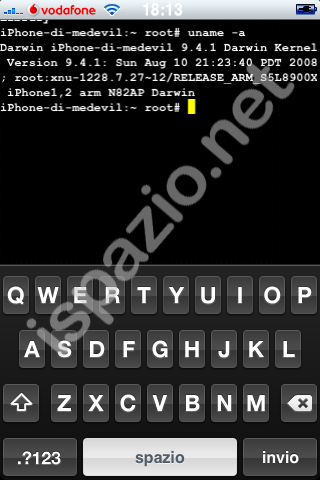
The iPhone Bluetooth Project has made some significant headway in enabling bluetooth capabilities on the iPhone.

According to an iSpazio report, MeDevil and others working on the iPhone Bluetooth Project (http://iphonebluetooth.tk/) have made some interesting progress. Through an application, developed by MeDevil, and the terminal, they were able to search and find two other bluetooth devices (a sonyericsson phone and an hackintosh) from the iPhone.

Here are some details on what they have achieved:
1. We have been able to initialise bluetooth in objective-c, linking to apples private frameworks, through only reverse engineering.
2. We were able to talk in raw Host Controller Interface code, i.e. close to binary communications, using only POSIX functions that are available in any standard C library.
3. To do that we had to initialise the BlueCore6-ROM type integrated circuit found on the iPhone 3g over a UART transport, formulate HCI packets and read the response.

iSpazio has provided the following images sent from MeDevil. Below them is a google translation of his Italian description.


Unfortunately there is no gui (as it is dialogue with the chipset) ... The photos more interesting is the third, or one with the inscription "Exiting."
a) an index of an array that is not added (for which there is always the same address for all devices found bluetooth)
b) the word "Cod: 302104" and "Cod: 5a0204", which identifies the "Class of device" (that is the type of device and some of the features supported).
For point (b), the devices listed (respectively a computer with usb bluetooth dongle and a sony ericsson K550i) did not find menu bluetooth dell'iphone precisely because of their class of device.


read more

Dev Team posts iPhone 3G unlock progress report

Sadly an unlocking has not yet been achieved for the iPhone 3G, however it is nice to see that progress is still being made. According to a recently posted message they were able to make “significant 3G progress this week.”

It seems that the Dev Team was able to modify the baseband and have the iPhone 3G continue running, which apparently is good news. According to the details this is especially important because “running modified baseband code is a very useful ability.”

Of course, even with this progress update, the Dev Team is not able to offer any better time line as to when we can expect to see an unlocking tool released. Still, it seems they are working hard on getting to that point.

source:http://www.iphonefreak.com/2008/10/dev-team-posts-iphone-3g-unlock-progress-report.html#comment-4217

PCMS Apple iPhone 3G Unlock SIM Card


Description
PCMicroStore has the PCMS Apple iPhone 3G Unlock Worldwide Turbo SIM Card for $16 + $1 shipping = $17 shipped. Works with all major US and overseas networks ie AT&T, T-Mobile, 3 Mobile, Telia and more. No programming, iPhone hardware modification, or technical support required.

Thursday, November 6, 2008

Quick App: LaserLink for the iPhone

iphone new ad

http://www.apple.com/iphone/gallery/ads/

Classics Book Reading App for iPhone and iPod Touch

A new reading platform for a growing collection of literary masterpieces is now available on the Apple App Store. Classics is a book-reading application that lets users get personal with their favorite novels. Readers can touch books, flip pages, and enjoy classics in a beautifully designed interface right on their iPhone and iPod touch. Classics is a digital alternative to paperbacks replacement.

The application features a groundbreaking interface, showcasing animated page turns that realistically respond to the user’s touch, visual bookmarks, and a fully realized bookcase for readers’ collection, which for now, includes a growing collection of classic novels. All books can be easily rearranged on a bookshelf with a touch of a finger. To open and read a book, just tap on it. When you finish reading, just touch the “home” button and Classics will remember the last page read, so you can get back to it next time.

source:http://www.palluxo.com/2008/11/05/classics-book-reading-app-for-iphone-and-ipod-touch/

The application has quickly become one of the most popular applications on the App Store. After entering the US charts on Friday, Classics rocketed to position #13 within 48 hours, displacing popular apps “Koi Pond” and “Spore Origins”, and is charting in the UK, Canada, Germany and Japan as well.

Classics features beautifully designed interface, table of contents button for quick navigation, reading progress display integrated in top bar, plus “the collections” of classic books you will enjoy to read. Classics developers, Andrew Kaz and Phill Ryu, promise more books to come via free updates. For now, you can read a dozen of classic works, including: The Adventures of Huckleberry Finn, Gulliver’s Travels, The Time Machine, Call of the Wild, The Metamorphosis, Paradise Lost, Hound of the Baskervilles, Alice in Wonderland (illustrated), Flatland (illustrated), Robinson Crusoe, The Jungle Book, and 20,000 Leagues Under the Sun.

Why Opera didn’t make it on the iPhone

by Daniel Ionescu, PC World

Last week a lot was made of revelations that Apple had barred the Opera browser from the iPhone. Reports explained Apple blocked the browser company Opera from distributing a mobile version of its browser, Opera Mini, to iPhone users because it competes with Apple’s own Safari browser. It appeared to many Apple was unfairly restricting good applications from iPhone users—something it has been accused of doing in the past.

All may not be as it appears. I caught up with Tor Odland, Director of Corporate Communications at Opera, who says earlier reports overstate the situation. In fact Odland says, “Opera has not yet submitted a version of Opera Mini to Apple’s App Store, but may do so in the future.”

Today’s comments from Odland contradict Opera CEO Jon Stephenson von Tetzchner who was paraphrased in a New York Times blog post saying, “Apple won’t let the company release it [Opera Mini for iPhone] because it competes with Apple’s own Safari browser.”

The Apple of discord

Mr. Odland confirmed “Opera has developed an initial version of Opera Mini for the iPhone platform.”

“We’re confident that many users would consider giving Opera Mini a spin on the iPhone, due to the browser’s speed,” he added.

In addition, Haavard, an Opera employee, mentions in a blog post last week that it’s “not sure if we’ve ever confirmed that we actually had Opera Mini ready for the iPhone.”

It seemed unrealistic for Apple to block such a high profile company from having an application on the iPhone, but now it all looks like an Opera publicity stunt rather than yet another anticompetitive scandal for Apple.

Sportfolio™ Duo for MacBook Air™


DESCRIPTION:
Available in four eye-catching color combinations, these vertical sleeves are constructed of rugged, form-fitting neoprene, and can be carried alone or as an extra layer of protection when placing your notebook in a briefcase or backpack. These cases have no zippers, allowing for quick retrieval of your MacBook Air; and they are reversible.

FEATURES:

  • Serves as a stand-alone sleeve or as an extra layer of protection when carrying the Air in a briefcase, backpack or messenger bag
  • Vertical design allows easy storage and retrieval
  • Rugged, high-tech neoprene construction with form-fitting edges keeps the MacBook Air fully protected in the slimmest possible case
  • Reversible, so you get two colorful cases in one

Send Fake Calls to your iPhone

by Ian Paul, PC World

Have you ever been talking to someone and hoped your cell phone would ring so that you would have an excuse to leave? Well, start up company Magic Tap has developed an iPhone application that lets you do just that.

Fake Calls sells for 99 cents in the Apple App Store. It will make it look like you just got a call from your mother, cousin or even President-elect Barack Obama-anyone you want. You can customize the caller name or number, decide when to receive the call, change the wallpaper for the caller ID and set the phone up to ring or vibrate.

Fake Calls does not actually initiate a call so no airtime charges apply. Magic Tap also says it will donate 10 percent of earnings from the application to several unspecified charities.

You have to hand it to Magic Tap for developing an app that is novel and useful, although you have to wonder if Fake Calls will end up being the perfect excuse or a source of never-ending paranoia on blind dates.

Review: Recorder for iPhone

by Franklin N. Tessler, Macworld.com

The iPhone’s virtual keyboard is fine for taking short notes, but it’s not practical to transcribe a conversation or preserve a brilliant idea while you’re scrambling to catch a plane. Retronyms’ Recorder lets you make sound recordings on the fly and transfer them by Wi-Fi or e-mail

A large red button at the bottom of the main screen triggers audio capture. While you’re recording, meters help you monitor the sound level, although you can’t adjust the input sensitivity if the volume isn’t right. Recorder saves sounds in the popular Audio Interchange File Format (AIFF), so they’re compatible with all Macs and Windows PCs. The default lower quality setting is fine for most applications. Since it uses only 1MB a minute, there’s plenty of room, even on an 8GB iPhone. (Recorder’s high-quality setting uses five times as much memory, but you won’t notice the difference with the built-in mic.)

To send a recording by e-mail, Recorder uploads the sound file to Retronyms’ server and creates an outgoing message with a link to the file. Although you can’t e-mail recordings longer than five minutes, even at the lower quality setting, you can transfer them to a computer wirelessly. Tapping the sync button displays an IP address that you can type into any browser on the same network to show a list of your recordings, ready to download.

Note that while Recorder works on the iPhone, iPhone 3G, and second-generation iPod touch, it won’t work on original touch models. That’s because the second-generation touch supports audio recording via the headphone jack; the original model doesn’t.

Recorder won’t let you save phone calls—a limitation of Apple’s development software—nor can you set it to record on schedule. But I was surprised to discover that Recorder keeps on listening after you put the iPhone to sleep, opening up some, ahem, interesting possibilities. Even if you only use it in the open, though, Recorder is a bargain.

Recorder is compatible with any iPhone or second-generation iPod touch running the iPhone 2.x software update.

Sportsuit Runabout for ipod shuffle


The SportSuit Runabout offers comfortable protection for the shuffle on the go. A patented design, the runabout lets you wear your shuffle like a watch or an armband.

FEATURES:

  • Soft wrist strap for ultimate comfort
  • Adjustable armband extension
  • Clips easily on and off
  • Easy access to Headphone port
  • Velcro® closure

Media Alert: RealArcade Launches "Sally's Salon" on Apple's iPhone

SEATTLE, WA, Nov 04, 2008 (MARKET WIRE via COMTEX) -- CORE NEWS FACTS
--  The casual games business unit for digital entertainment services
company RealNetworks,(R) Inc. is announcing the availability of "Sally's
Salon(TM)" on Apple's iPhone and iPod touch.
-- Originally developed for play on the PC and Mac by Games Cafe, Inc.
and published by Real, "Sally's Salon" is based on the 2007 #1 PC game on
RealArcade.com, which was downloaded over 9 million times.
-- "Sally's Salon" can be downloaded worldwide directly from Apple's App
Store on iPhone and iPod touch or at www.itunes.com/appstore/.
-- "Sally's Salon" is the third game made available by RealNetworks on
the iPhone and iPod touch. In addition to RealArcade(R)'s Collapse!
Chaos(TM), COMEDY CENTRAL's Emmy-Award winning "South Park Imaginationland"
game is also available on Apple's App Store.
-- Casual games are simple to learn, but often difficult to master. Fans
of casual games enjoy the quick-play format that fits easily into busy
schedules, providing a method to relax, recharge or simply pass the time
with an entertaining challenge. Real strives to incorporate simple game
play, intriguing challenges, unique story lines, and visually stunning
graphics into each new game.


NEW GAME FEATURES
--  Now available from Apple's App Store, "Sally's Salon" for iPhone and
iPod touch takes advantage of Apple's revolutionary Multi-Touch user
interface for easy-to-use, engaging gameplay.
-- Players will use their click management skills to help Sally spread
her salon savvy from the shopping mall to the glittering lights of
Hollywood in this stylish and engaging challenge based on the hit online
game. Work with Sally to revamp everyone, from little old ladies to punk
rockers to impatient celebrities, in five unique salon locations.
-- Wash, dye, cut, style and more in 50 levels of fashionable fun. Five
unique locations with 10 levels each: The Mall, Ski Resort, The Ritz, Ocean
Pier and Star Studios. Two game modes and 9 unique customer types guarantee
endless fun.

Image Available: http://www2.marketwire.com/mw/frame_mw?attachid=867202

Image Available: http://www2.marketwire.com/mw/frame_mw?attachid=867199

Image Available: http://www2.marketwire.com/mw/frame_mw?attachid=867196

Embedded Video Available: http://www2.marketwire.com/mw/release_html_b1?release_id=448977


source:http://www.marketwatch.com/news/story/Media-Alert-RealArcade-Launches-Sallys/story.aspx?guid=%7B4417C5AA-4067-4373-A774-9AE21A455DA5%7D